
What are journeys
Overview
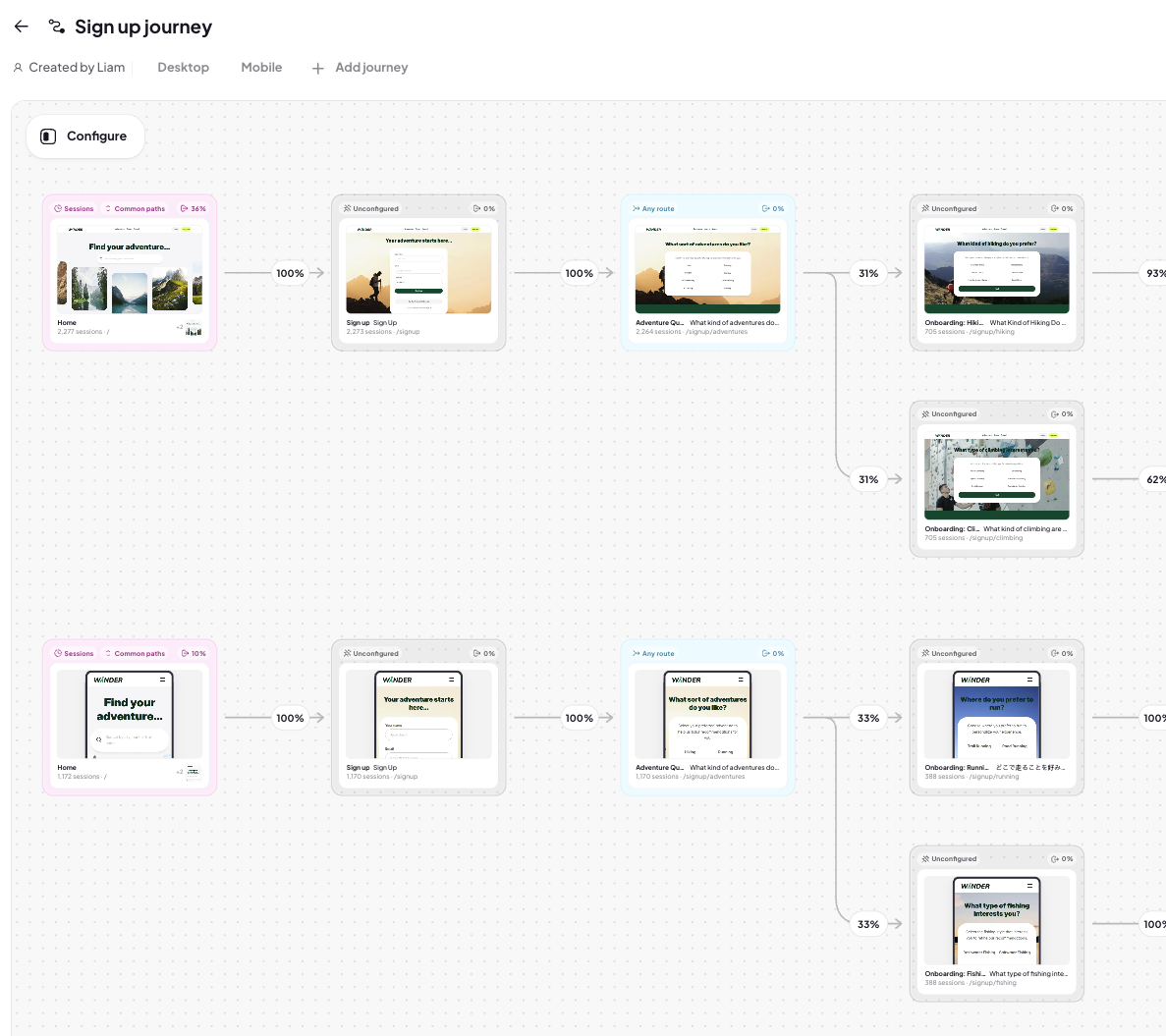
Journeys in Adora show you how users move through your product based on real session data. A Journey maps the steps a user takes from one screen to another so you can understand behavior, find friction points, and improve conversion. This article introduces how Journeys work and the different types you can create.
A Journey is a visual flow that shows the screens and actions your users take in your product.
Journeys are created using real user sessions, which means:
You can only build journeys using paths your users actually took
Every step in the journey reflects real behavior, not assumed or hypothetical paths
This ensures Journey data is accurate, trustworthy, and grounded in what customers actually do.
Why journeys matter
Journeys help you:
Get a visual and contextual understanding of your product
Understand how users navigate
Discover unexpected paths
Identify points of drop-off
Compare behavior across user segments
Measure conversion through critical flows
Visualize complex or non-linear user behavior
Journeys give teams visibility into the real customer experience.
Journey configurations
Journeys can be configured to help with particular use cases:
Explore unknown behavior and discover real common, user paths when you aren’t sure how people navigate.
Build a precise, linear journey using specific screens or actions. Ideal for onboarding flows and funnels.
Start with a known beginning and end, then let Adora fill in all the paths in between.
Describe your journey to the Adora AI and have it build it for you.
Journey maps
A Journey Map is the canvas where your journeys live.
You can:
Add multiple journeys to the same map
Compare journeys side by side
Apply filters across all journeys on the map
This makes Journey Maps powerful for team analysis and experimentation.
Using properties
Filters help you see how different users move through your journeys.
You can:
Apply global filters to the whole map
Apply filters to individual journeys
Compare the same journey across multiple properties (e.g., new users vs. returning)